Boosting Your Edge with a Smart Trading Workstation
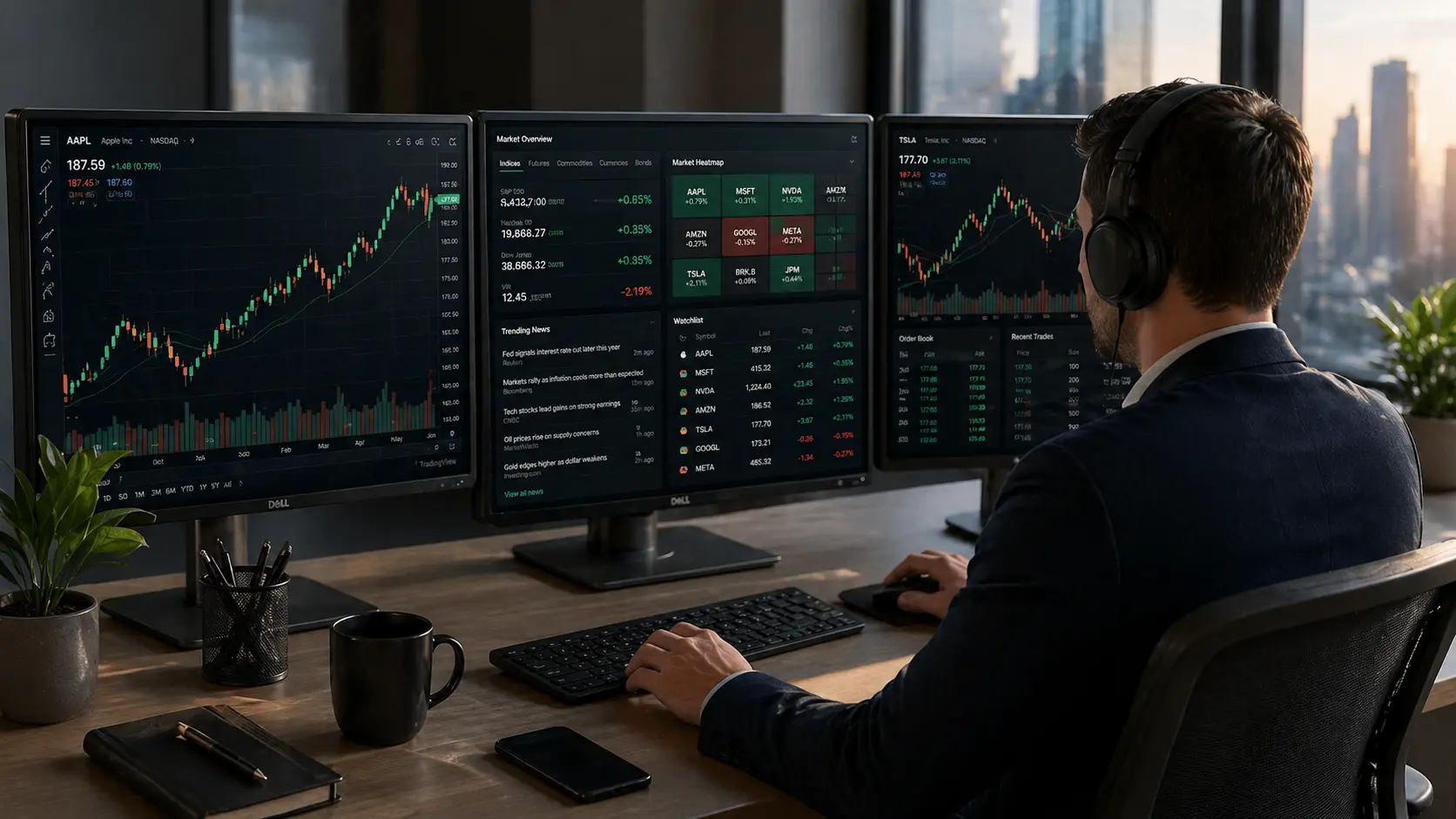
If you’re serious about trading, you already know your setup matters. A trading workstation isn’t just a fancy term, it’s your battlefield. It’s where you watch the charts dance, news breaks, and trades get made in milliseconds. And in this world, speed, comfort, and clarity aren’t just preferences, they’re requirements.
Whether you are an experienced day trader or just starting out, your workstation matters. It can greatly affect your decisions, reaction times, and energy levels throughout the trading day.
Let’s unpack what makes a real trader’s setup tick.
Start with the Right Hardware
You can’t run high-speed trades on a slow machine. Here’s what should be on your desk or inside it.
Essentials That Make a Difference
| Gear | What to Look For | Why It Counts |
| CPU | Intel i7/i9 or AMD Ryzen 7/9 | Handles multitasking like a boss |
| RAM | 32GB (minimum) | Keeps all your charts and tabs running |
| SSD Storage | 1TB NVMe SSD | Fast access to files and platforms |
| Graphics Card | NVIDIA RTX or Quadro series | Supports multi-screen setups easily |
| Monitors | At least 3 high-res screens | Track everything without switching tabs |
No need to overspend, just build smart. These specs let you run your trading platform, browser, email, scanner, and whatever else you use, all at once without lag.
Don’t Forget Internet Speed
A common mistake? Neglecting internet speed and stability. Go for a wired Ethernet connection with at least 1 Gbps fiber. Then back that up with a mobile hotspot, just in case. You don’t want to be caught mid-trade with a frozen screen.
Trading Platforms That Actually Deliver
Your workstation doesn’t do much without solid trading software, and not all platforms are created equal.
Real-Time Trading Data with Low Latency
Fast data is your edge. Here are some options built for that:
- NinjaTrader – clean execution, fast order routing
- MetaTrader 5 – packed with features and popular with algorithmic traders
- ThinkorSwim – visually powerful and intuitive
- TWS by Interactive Brokers – great for managing complex portfolios
All these are known for handling real-time trading data with low latency, and that’s no small thing. Because if your data is even a few seconds behind, your trade might already be old news.
“The market doesn’t wait. Get data as close to real-time as possible, or risk trading in the past.”
Advanced Tools for Serious Traders
If you rely heavily on charts, you’ll need more than just candles and trendlines.
Look for platforms that support:
- Custom indicators (or script your own in Pine Script or EasyLanguage)
- Heatmaps, volume profile, order flow
- Multi-timeframe analysis
- Real-time news and social sentiment integration
TradingView offers some of the most advanced technical analysis tools for professional traders, no fluff, just raw power.
Your Workspace Needs to Feel Right
All the power in the world won’t matter if your back’s aching or your eyes are strained.
Little Tweaks That Go a Long Way
- Monitors should be right at eye level
- Use a good chair, not a kitchen stool
- Set up soft lighting to reduce glare
- Keep water and a notepad within reach
Think of it like this: if you were going to drive a race car for 8 hours a day, you wouldn’t do it in a folding chair with a dirty windshield.
Silence Helps Focus
Trading from a home office? Drown out distractions. Try:
- Noise-canceling headphones
- Background white noise apps
- “Do Not Disturb” signs (or polite messages to roommates)
A focused environment can make the difference between sticking to your plan or reacting emotionally.
Prepare for When Things Go Sideways
Markets are unpredictable and so is your power supply.
A Few Backup Must-Haves
- UPS Battery Backup: Gives you time to close positions safely
- Second Laptop or Tablet: Just in case your main rig fails
- Mobile Hotspot: For backup internet access
- Manual Trade Journal: For quick reference when things glitch
This isn’t paranoia,it’s smart planning.
Security Shouldn’t Be an Afterthought
Your trading workstation holds access to your money, your trades, and sometimes even personal info. Lock it down.
Simple Security Habits That Work
- Turn on two-factor authentication (2FA)
- Use VPN during trading sessions
- Don’t save passwords in your browser
- Set your firewall to “paranoid mode”
Use a password manager like Bitwarden or 1Password, and don’t let security slide just because you’re “too busy.”
Automate Where It Makes Sense
Want to avoid burnout? Automate the boring stuff.
Quick Wins for Automation
- Alerts on price levels, news triggers
- Auto-close rules on stop-loss or trailing stops
- Hotkeys for placing orders instantly
- Pre-market scans that run automatically
More platforms now offer API access so you can build your own tools, from trade journals to strategy testers.
A Realistic Daily Routine
Curious what a high-efficiency day looks like?
| Time | What’s Happening |
| 6:30 AM | Wake up, scan news, check economic calendar |
| 7:00 AM | Analyze charts, prep watchlist |
| 9:30 AM | U.S. markets open – time to trade |
| 11:00 AM | Review entries/exits, take notes |
| 12:00 PM | Eat, relax, do some backtesting |
Keep a rhythm. The best traders don’t react, they execute plans.
It’s More Than Just Tech – It’s Mental Clarity
At the end of the day, the goal isn’t just to trade better, it’s to think better. A smart workstation keeps you focused, cuts noise, and helps you stick to your edge.
If you’re still using a single laptop screen, struggling with lag, or constantly clicking between tabs, maybe it’s time to upgrade your workspace. Not because it looks good, but because it works better. Even one small improvement could help you see the market, and yourself, a little clearer.
Take the time to build a setup that reflects your goals. It’s not just an investment in gear, it’s an investment in your performance.
FAQs
How much RAM do I need for trading?
32GB is a safe bet. You’ll need that much if you’re running multiple screens, browsers, data feeds, and analysis tools all at once.
Can I trade using Wi-Fi?
You can, but it’s not ideal. Wired Ethernet is more stable and delivers better latency, which matters for fast executions.
Is a gaming PC good for trading?
It can be. Gaming PCs usually have strong GPUs and CPUs, but make sure they support multi-monitor setups and won’t throttle during long trading hours.
Do I really need backup power?
If you trade with real money, yes. A UPS can prevent serious damage during power cuts or help you close positions safely.
Should I get a Mac or Windows PC?
Windows is usually more compatible with professional trading software and custom scripts. Unless you’re deep in the Apple ecosystem, go with Windows.
Can I build a good trading setup on a budget?
Totally. Start with the basics – a fast CPU, solid RAM, and one good monitor. You can build from there as your needs grow.