Top Features to Set Up a Pro Trader Workstation
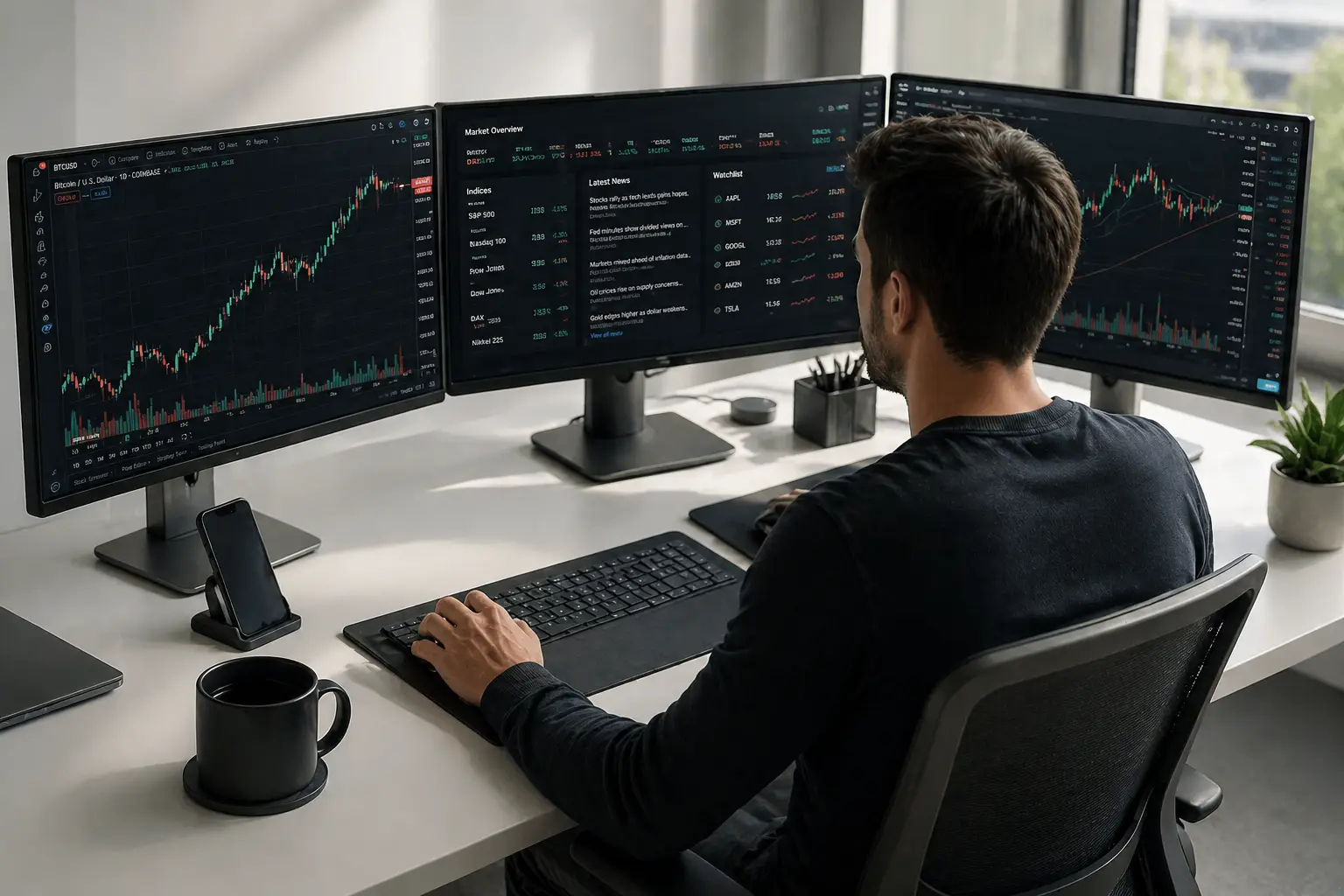
If you’re serious about trading, your setup needs to be just as committed as you are. Creating a good trader workstation is not about going overboard. It’s about having a clean, reliable, and comfortable space. This setup helps you work quickly and think clearly.
This guide walks you through what actually matters in a workstation. From smart hardware choices to staying comfortable during long sessions, we’re breaking it down with examples and real-world tips.
Find the Right Spot Before Anything Else
Let’s be honest, your environment affects your mindset. You can’t expect to stay focused in a noisy, cluttered room with bad lighting.
Start with a space you can control:
- Pick a quiet area where distractions are minimal.
- Natural light helps your mood and reduces eye strain but watch out for screen glare.
- A good-sized desk that can handle multiple monitors is a must.
- Use warm desk lighting to keep your eyes happy during early mornings or late nights.
Build Your Workstation with the Right Gear
Now let’s talk about the guts of your setup. You don’t need a crazy gaming rig, but you do need something that won’t freeze when you’ve got 10 charts and 5 browser tabs open.
Here’s a quick breakdown:
| Part | What You’ll Want |
| Processor | Intel i7 or Ryzen 7 (fast and reliable) |
| RAM | 16GB at least-go for 32GB if you multitask a lot |
| Storage | SSD (not HDD) for speed |
| Graphics | Mid-range GPU with multi-monitor support |
| Power Backup | A UPS saves you from panic during outages |
Honestly, if your setup crashes mid-trade, it’s not just annoying, it’s risky. Spend smart where it matters.
Pick Monitors You’ll Actually Enjoy Using
Here’s where a lot of traders go overboard. You don’t need six monitors to be effective. But you do need screens that are easy on your eyes and show your data clearly.
A few tips:
- 27–32 inches is the sweet spot.
- Go for IPS panels they look better from different angles.
- You really only need 60Hz for trading, unless you also game.
- Mounting arms free up desk space and improve ergonomics.
Getting the Most Out of a Multi-Monitor Trading Workstation
If you’re using a multi-monitor trading workstation, placement and purpose are everything. Don’t just toss them on your desk and call it good.
Here’s a setup that works:
- Center monitor: Your live charts and main trading app.
- Side monitors: One for market news or Twitter, one for your watchlist.
- Keep cables organized with DisplayPort or HDMI splitters to avoid headaches.
And don’t forget, having more screens only helps if you know what goes where.
“It’s not about how many screens you have. It’s about putting each one to good use.”
Stock Trading Workstation Must-Haves
Software’s a huge part of your workflow. If your platform lags or feels clunky, it’s going to slow you down.
Your basics should include:
- A stable trading platform like TradingView
- Customizable charts with drawing tools and real-time data.
- Set up hotkeys for faster trades.
All your tools should work with you, not make things harder.
Don’t Ignore Comfort – Your Body Will Thank You
Trading involves long hours sitting in front of screens. If your back hurts or your eyes are constantly tired, something’s wrong.
Fix it with:
- A proper chair with lumbar support.
- A wrist rest for your keyboard and mouse.
- A standing desk option if you want to mix things up.
These changes may seem small, but they add up big over time.
Solid Internet Isn’t Optional
Imagine missing an entry point because your Wi-Fi decided to cut out. Not fun.
Here’s how to stay connected:
- Use wired Ethernet for a rock-solid connection.
- Keep a mobile hotspot or second ISP as a backup.
- Tools like PingPlotter help track connection quality.
Seriously, don’t rely on spotty Wi-Fi if your money’s on the line.
Keep Things Cool and Quiet
Your PC runs smoother when it’s cool and quiet. Overheating isn’t just uncomfortable, it shortens the life of your gear.
Try this:
- Install quiet fans or use a case with good airflow.
- Put your PC on a stand, not the carpet.
- Keep noisy gear tucked away or under your desk.
Make Cable Chaos Disappear
Cable management isn’t just for looks. Tangled cords are frustrating when you’re trying to swap something out.
Quick fixes:
- Use under-desk trays to hide cables.
- Get velcro straps and label everything.
- Group wires behind monitor arms or along desk legs.
You’ll thank yourself next time you upgrade a monitor or add a new gadget.
Backups and Protection Are Non-Negotiable
Whether it’s a power outage or a laptop theft, you need to protect your data and access.
Here’s how:
- External drives or cloud backups for your important files.
- A surge protector to prevent damage.
- VPN software and strong passwords to keep your info safe.
Better safe than scrambling to recover lost trades.
Travel-Friendly Setups for Trading on the Go
Need to trade while traveling? It’s possible with the right gear.
Your kit might include:
- A high-powered laptop with SSD and 16GB RAM.
- A portable monitor for a second screen.
- A compact docking station to plug in fast wherever you are.
If you travel often, it’s worth investing in tools that keep you productive wherever you land.
What’s Worth the Investment?
Don’t blow your budget on flashy extras. Spend where it counts.
Invest in:
- A solid PC build
- Large, clear monitors
- Good lighting and a quality chair
Skip or delay:
- RGB lighting
- Fancy mousepads
- Premium speakers (unless you love music)
Buy what helps you trade better. Everything else is a bonus.
Set Up Your Software Like a Pro
Having your software neatly arranged saves time and that means quicker decisions.
Tips:
- Create virtual desktops to keep apps organized.
- Use macros to launch your trading tools with one key.
- Set up alerts so you don’t miss market moves.
“If you’re constantly clicking around, your setup isn’t working hard enough for you.”
Avoid These Common Setup Fails
- Buying way more monitors than you’ll actually use.
- Forgetting about cooling, which can fry your components.
- Using a bad chair, your back will never forgive you.
Start smart, and upgrade as you go.
Real Setup from a Real Trader
One swing trader in Dallas shared his setup:
- Triple-screen layout: 32” center, 24” sides
- Ryzen 9 PC with 32GB RAM and dual SSDs
- Fiber internet with backup LTE hotspot
- Sit-stand desk and ergonomic chair
- Streamlined hotkey shortcuts for fast action
It’s not flashy, but it’s clean, efficient, and built to win.
Habits to Keep Everything Running Smoothly
- Restart your PC every day.
- Wipe your screens weekly.
- Clean your keyboard at least every two weeks.
- Check for software updates monthly.
Little routines save you from bigger issues later on.
Thinking of Upgrading This Year?
If your setup is older or struggling, now might be the right time.
Why upgrade?
- Better performance with modern RAM and processors
- More flexibility for multiple apps and monitors
- Newer platforms are built to support AI-powered tools
Staying current helps you stay competitive.
Creating a strong trading setup isn’t about spending the most, it’s about knowing what matters. A few smart upgrades and thoughtful choices can take your daily trading experience to a whole new level. So take your time, start with the essentials, and build something that truly fits your flow.
FAQs
1. How many monitors do most traders use?
Two to four is the sweet spot. Enough to see everything without feeling overwhelmed.
2. Is a gaming PC good for trading?
Yes, most gaming PCs have the power and graphics support you’ll need.
3. Can I trade effectively with just a laptop?
Absolutely, if it’s a solid laptop. Add a second monitor for more screen space when possible.
4. What’s the most overlooked part of a workstation?
Internet reliability. A bad connection can ruin trades, even if everything else is perfect.
5. Should I use a standing desk?
It depends on your preference, but mixing sitting and standing can help with energy and focus.
6. What’s the first upgrade I should make if I’m on a budget?
Start with more RAM and a second monitor, both have a big impact without breaking the bank.